See
also
User's
guide
 |
INSTALLATION
GUIDE |
This
document describes in details how to setup PowerSpell 2009.
1. FIRST STEP
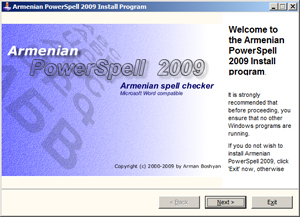
Please download and run powerspellsetup.exe.
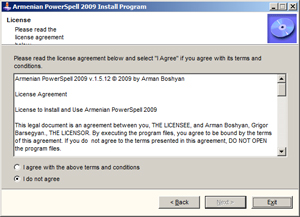
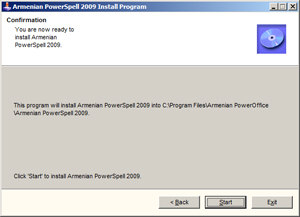
Following 3 images shows standard steps while performing installation.
For the second image, please choose "I agree" if you agree with
license agreement.
 |
 |
 |
2. SETUP PROCESS
After
pressing "Start" button, process will
start copying of files in your computer. During this process setup may
request confirmation of installation directory (Press Yes). The following
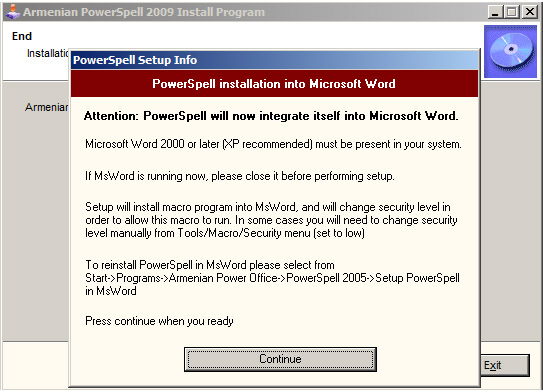
window will be displayed after finishing copying process.
The window, informs user that PowerSpell will integrate itself into MsWord.
Press "Continue" button, and, in case if installation success,
MsWord will run and suggest you to spell example of Armenian text.
Next stage of installation will show MsWord and Reminder window
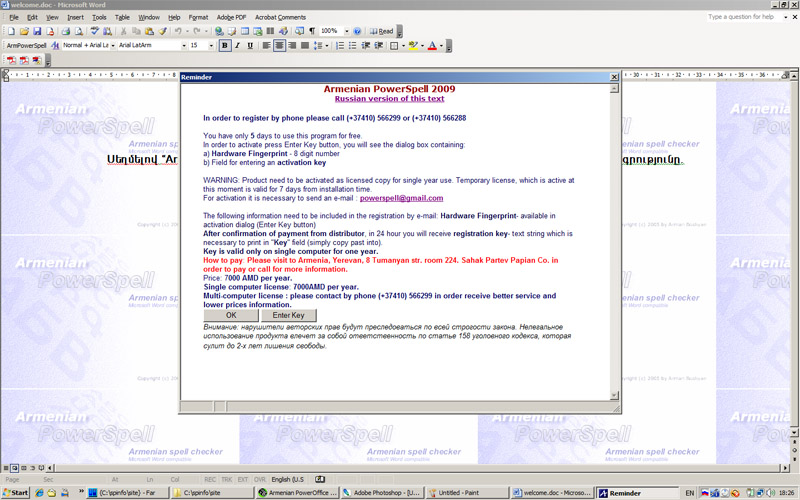
"Reminder" window shows license information about 7 days free of charge using. Press OK to continue.
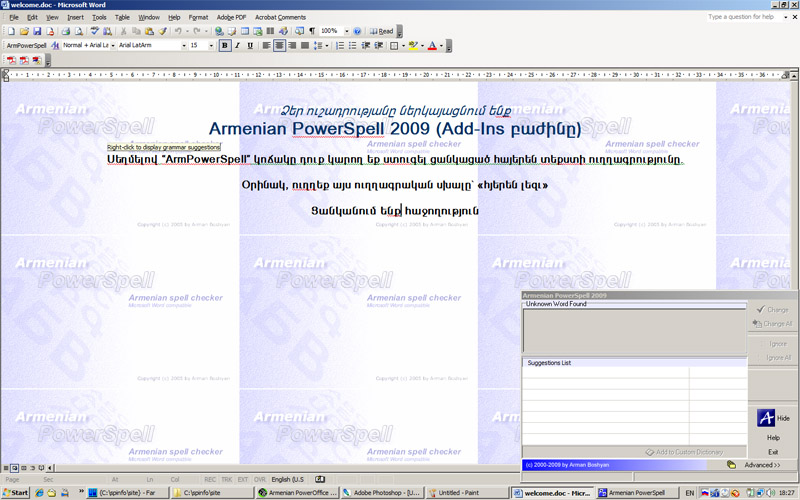
PowerSpell displayed on the right-bottom side of screen. You will see ArmPowerSpell button on MsWord toolbar in case if installation success.
MsWord
2000-2003

MsWord
2007
Button displayed in Add-Ins section

3. SOLVING PROBLEMS WITH INSTALLATION
If
ArmPowerSpell button does not available in MsWord it means that installation
fails.
Integration in MsWord performed by running special program-macro from
file PowerSpell.dot which is copied into STARTUP directory of your MsWord
installation folder (for example: C:\Program
Files\Microsoft Office\Office12\STARTUP\).
If macro can not run it means that MsWord does not found in your computer
or running of macros are disabled from MsWord security settings.
In order to resolve this problem please perform the following steps.
1.
Please make sure that MsWord is correctly installed in your computer
2.
Make sure file PowerSpell.dot is copied into STARTUP folder, if no than
you can take this file from Program Files/Armenian PowerOffice/Armenian
PowerSpell 2009 folder and copy it manually
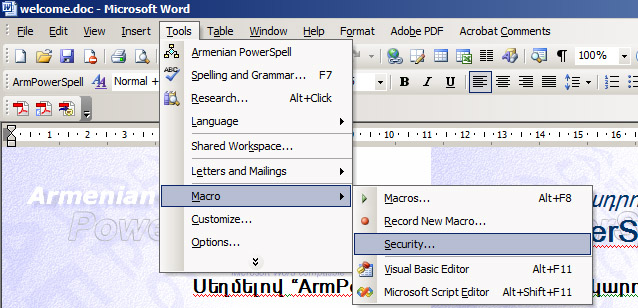
3. Inside MsWord 2000-2003 select from menu Tools/Macro/Security and choose LOW security level for enabling macros
4. Inside MsWord 2007 select from menu Word Options->Trust Center
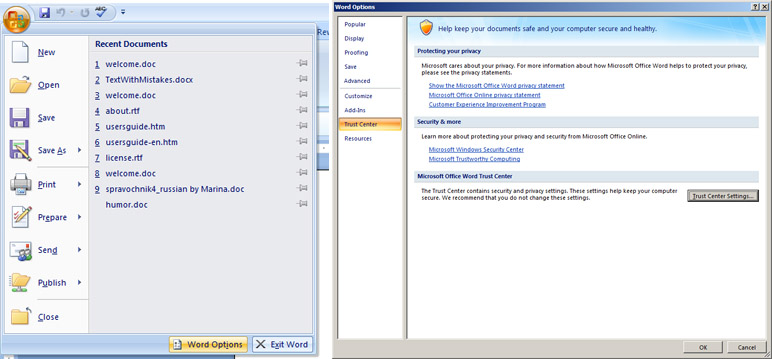
Press Trust Center Settings and select Enable all macros
5.
Restart MsWord.
If still ArmPowerSpell button does not appear please call 093 303383
for technical support.
4.
RUNNING POWERSPELL
In order to run press ArmPowerSpell button. Program will start checking of text from the current cursor position. Spelling suggestions will be available in PowerSpell window. For more information see User's Guide
Please call to +37493 303383 for more information or visit to Armenian PowerOffice support center,
Armenia, Yerevan, Tumanian 8 str, apt 224,
Sahak Partev Papian Co.
Distributed by Sahak Partev Papian Co.